# AliExpress

<figure><img src="https://1103784913-files.gitbook.io/~/files/v0/b/gitbook-x-prod.appspot.com/o/spaces%2FiAC0G99SjXjSv2GM5PAE%2Fuploads%2F8C05JVMZ0joVIGkN4YeP%2Fimage.png?alt=media&#x26;token=35b0b313-899a-4d99-84d4-7aaca968d85a" alt=""><figcaption></figcaption></figure>

&#x20;

**STEP 1**

Join in dropshipping center at <https://home.aliexpress.com/dropshippercenter/join.htm>

&#x20;

**STEP 2**

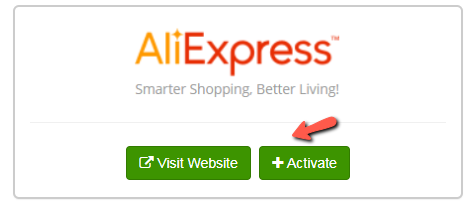
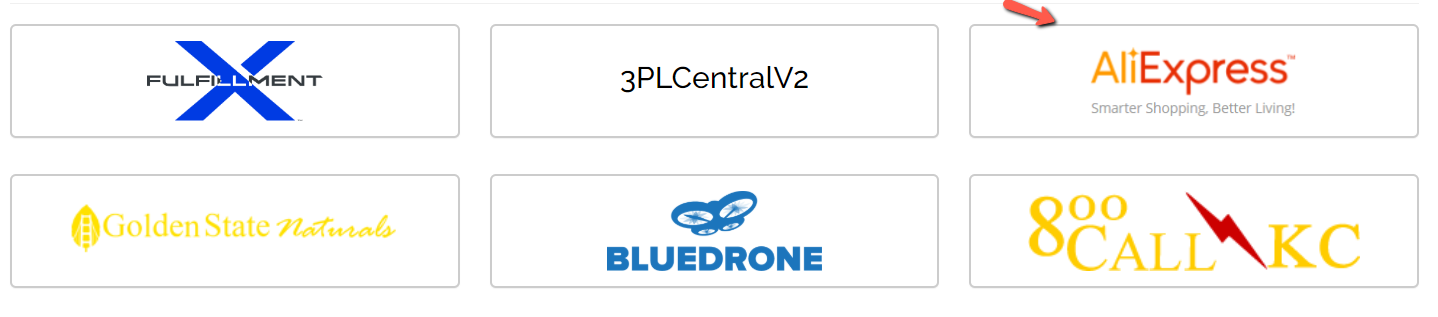
Go to Konnektive **Admin** > **Plugins** > **Fulfillment House Listing**, Scroll down to **AliExpress** and click

<figure><img src="https://1103784913-files.gitbook.io/~/files/v0/b/gitbook-x-prod.appspot.com/o/spaces%2FiAC0G99SjXjSv2GM5PAE%2Fuploads%2FvoJVUOcDJsjkQYO7CaVk%2Fimage.png?alt=media&#x26;token=887f6941-fd75-4ed5-b825-aa5283355d31" alt=""><figcaption></figcaption></figure>

&#x20;

**STEP 3**

Click the green **Activate** button to activate **AliExpress**

<figure><img src="https://1103784913-files.gitbook.io/~/files/v0/b/gitbook-x-prod.appspot.com/o/spaces%2FiAC0G99SjXjSv2GM5PAE%2Fuploads%2FDJPGJyV9bB95jacSvhRy%2Fimage.png?alt=media&#x26;token=45d1bad2-0a42-4b4a-b37f-d77f06d2999f" alt=""><figcaption></figcaption></figure>

&#x20;

**STEP 4**

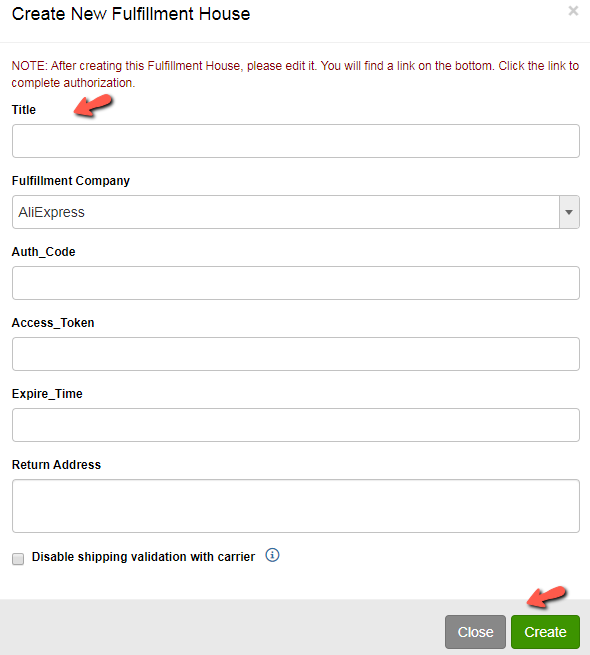
Enter **Title,** leave other fields blank

Click the green **Create** button to save and create the Fulfillment House

<figure><img src="https://1103784913-files.gitbook.io/~/files/v0/b/gitbook-x-prod.appspot.com/o/spaces%2FiAC0G99SjXjSv2GM5PAE%2Fuploads%2F1Cv0uKG43aPry5HKtWap%2Fimage.png?alt=media&#x26;token=875e56e7-cfd5-4735-83ba-9253b060293d" alt=""><figcaption></figcaption></figure>

&#x20;

**STEP 5**

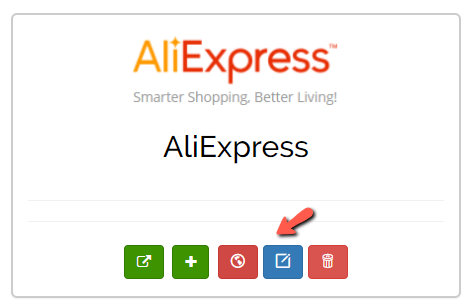
Then You will see AliExpress on the top of this page. Click the blue **Edit** button

&#x20;

<figure><img src="https://1103784913-files.gitbook.io/~/files/v0/b/gitbook-x-prod.appspot.com/o/spaces%2FiAC0G99SjXjSv2GM5PAE%2Fuploads%2FHPrx6hZQlX5OBx7D5tNN%2Fimage.png?alt=media&#x26;token=2f781963-c814-4a2a-a54e-3c46028d3e7e" alt=""><figcaption></figcaption></figure>

**STEP 6**

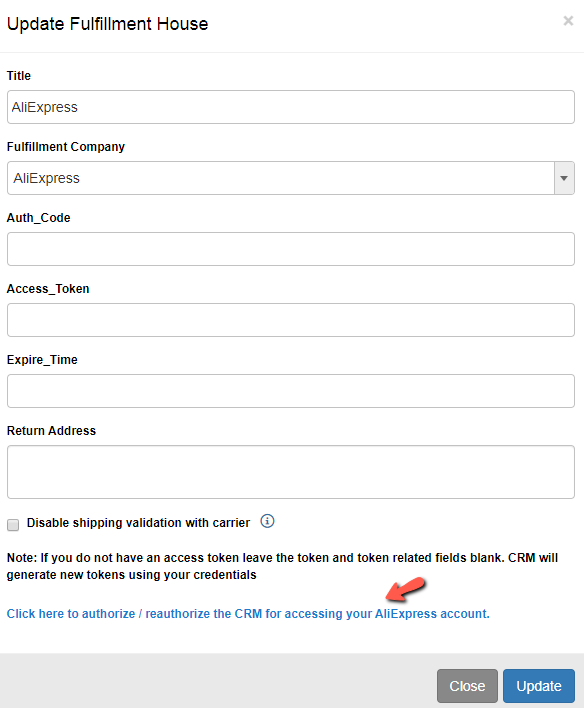
You will see a link on the bottom. Click the link to complete authorization

&#x20;

<figure><img src="https://1103784913-files.gitbook.io/~/files/v0/b/gitbook-x-prod.appspot.com/o/spaces%2FiAC0G99SjXjSv2GM5PAE%2Fuploads%2Fon2nzrOZElCKfEf71Mz6%2Fimage.png?alt=media&#x26;token=198de006-5a28-4355-8ed3-3422a9e267bb" alt=""><figcaption></figcaption></figure>

**STEP 7**

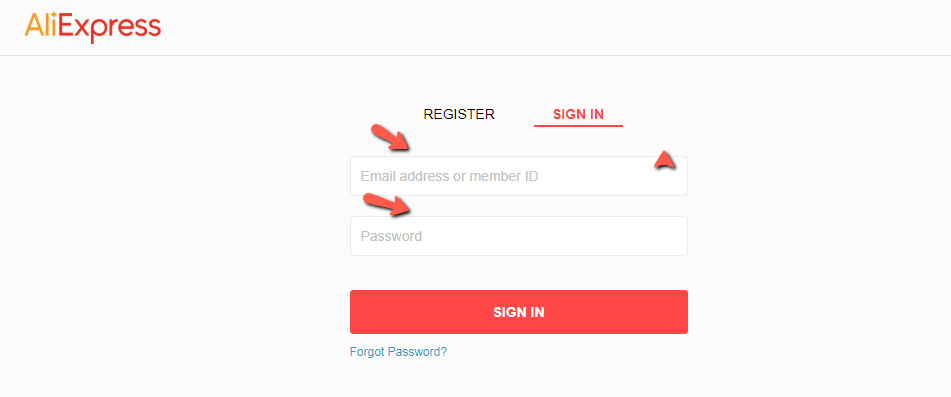
Sign in on AliExpress site

<figure><img src="https://1103784913-files.gitbook.io/~/files/v0/b/gitbook-x-prod.appspot.com/o/spaces%2FiAC0G99SjXjSv2GM5PAE%2Fuploads%2FqlnQLEzGBijH4ikC3ZPz%2Fimage.png?alt=media&#x26;token=9c84e390-b4bc-48c3-8e0e-f448fb9bb8d0" alt=""><figcaption></figcaption></figure>

**STEP 8**

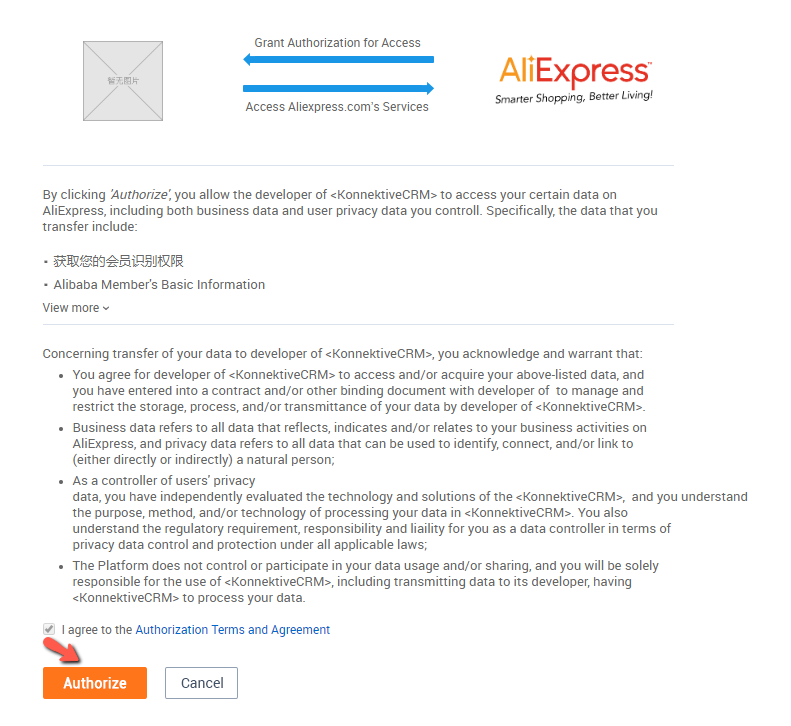
Click Authorization to authorize Konnektive accessing your data

<figure><img src="https://1103784913-files.gitbook.io/~/files/v0/b/gitbook-x-prod.appspot.com/o/spaces%2FiAC0G99SjXjSv2GM5PAE%2Fuploads%2FyBZam9Y3pH5vjJgvxblT%2Fimage.png?alt=media&#x26;token=a3910e25-c1fb-4e72-8e71-bd552a78645d" alt=""><figcaption></figcaption></figure>

**STEP 9**

You will see something like this.

<figure><img src="https://1103784913-files.gitbook.io/~/files/v0/b/gitbook-x-prod.appspot.com/o/spaces%2FiAC0G99SjXjSv2GM5PAE%2Fuploads%2FmAVOhJYDDmzKAJdUrZjo%2Fimage.png?alt=media&#x26;token=25a68c94-5cc1-4801-8548-b1e474eb68e4" alt=""><figcaption></figcaption></figure>

**STEP 10**

Access token will be obtained automatically after receiving the Auth\_Code. The valid time for access token is 1 month. Renew the access token following STEP 6 - STEP 10 before it is expired.

&#x20;

**STEP 11**

Go to **CRM** > **Products**, Click the green Product button

<figure><img src="https://1103784913-files.gitbook.io/~/files/v0/b/gitbook-x-prod.appspot.com/o/spaces%2FiAC0G99SjXjSv2GM5PAE%2Fuploads%2FRYHWGHftIRxz34eM8Un1%2Fimage.png?alt=media&#x26;token=d6ed7100-6d8e-4959-bbb3-7ef8e2ece78f" alt=""><figcaption></figcaption></figure>

**STEP 12**

Enter **Product Name**, select the **Fulfillment House** you created above, then click the green **Create Product** button

<figure><img src="https://1103784913-files.gitbook.io/~/files/v0/b/gitbook-x-prod.appspot.com/o/spaces%2FiAC0G99SjXjSv2GM5PAE%2Fuploads%2FcS4B1d7euAPIbZ8bii8j%2Fimage.png?alt=media&#x26;token=34e2478b-cbbc-4982-aa68-1c5bb77b1209" alt=""><figcaption></figcaption></figure>

**STEP 13**

Click the blue **Edit Product** button

<figure><img src="https://1103784913-files.gitbook.io/~/files/v0/b/gitbook-x-prod.appspot.com/o/spaces%2FiAC0G99SjXjSv2GM5PAE%2Fuploads%2FV4ibLPqznoHzPvQBQ83A%2Fimage.png?alt=media&#x26;token=7afb6b3d-bacb-4577-9c1f-45fcd910d7d1" alt=""><figcaption></figcaption></figure>

**STEP 14**

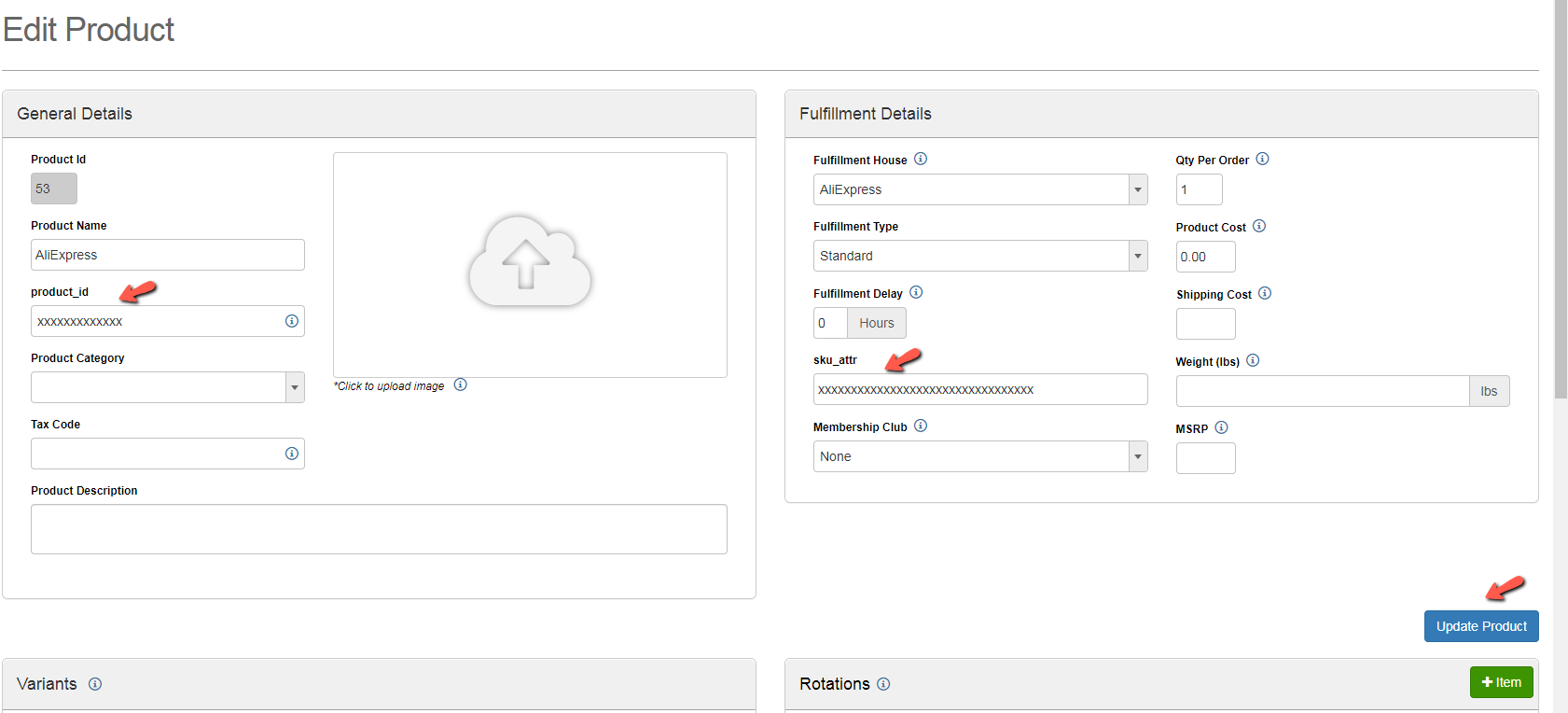
Enter **sku\_attr** and **product\_id** from AliExpress, fill other fields as needed then click the blue **Update Product** button

<figure><img src="https://1103784913-files.gitbook.io/~/files/v0/b/gitbook-x-prod.appspot.com/o/spaces%2FiAC0G99SjXjSv2GM5PAE%2Fuploads%2FcqEdiGMjSd12Jcb6O30E%2Fimage.png?alt=media&#x26;token=d6056274-7aa6-4ba2-9292-7cddd86f6bb7" alt=""><figcaption></figcaption></figure>