> For the complete documentation index, see [llms.txt](https://help.konnektive.com/llms.txt). Markdown versions of documentation pages are available by appending `.md` to page URLs; this page is available as [Markdown](https://help.konnektive.com/konnektive-crm/customer-service/cancelling-an-order.md).
# Cancel an Order
The Cancel Order button can be used to cancel the fulfillment and refund the transaction with a single action. This action will also cancel the subscriptions tied to this order.
To cancel an order, first locate the customer’s order record.
On the customer’s profile*,* select the **OrderId** from the **Orders Section**:
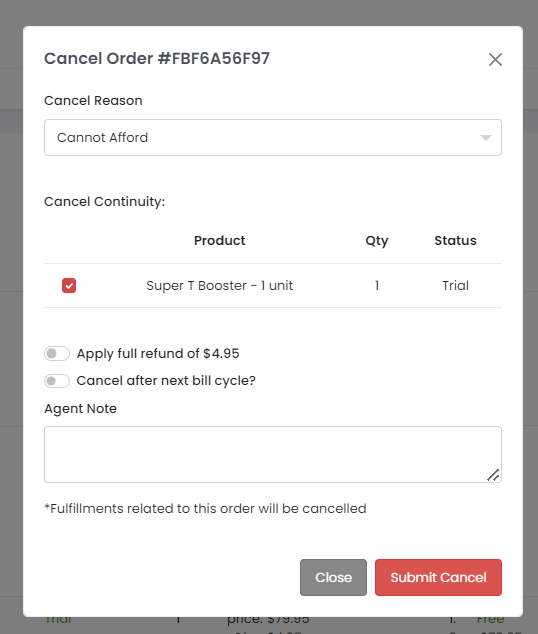
On the *Order Summary* page, select **Cancel Order**:
* Choose *Cancel Reason*
* Choose the product(s) from the order you want to cancel
* Choose if you would like to apply a full refund
* Choose if you would like to cancel after the NEXT bill cycle
* Enter an optional note