> For the complete documentation index, see [llms.txt](https://help.konnektive.com/llms.txt). Markdown versions of documentation pages are available by appending `.md` to page URLs; this page is available as [Markdown](https://help.konnektive.com/konnektive-crm/customer-service/locating-a-customer-record.md).
# Locate a Customer Record
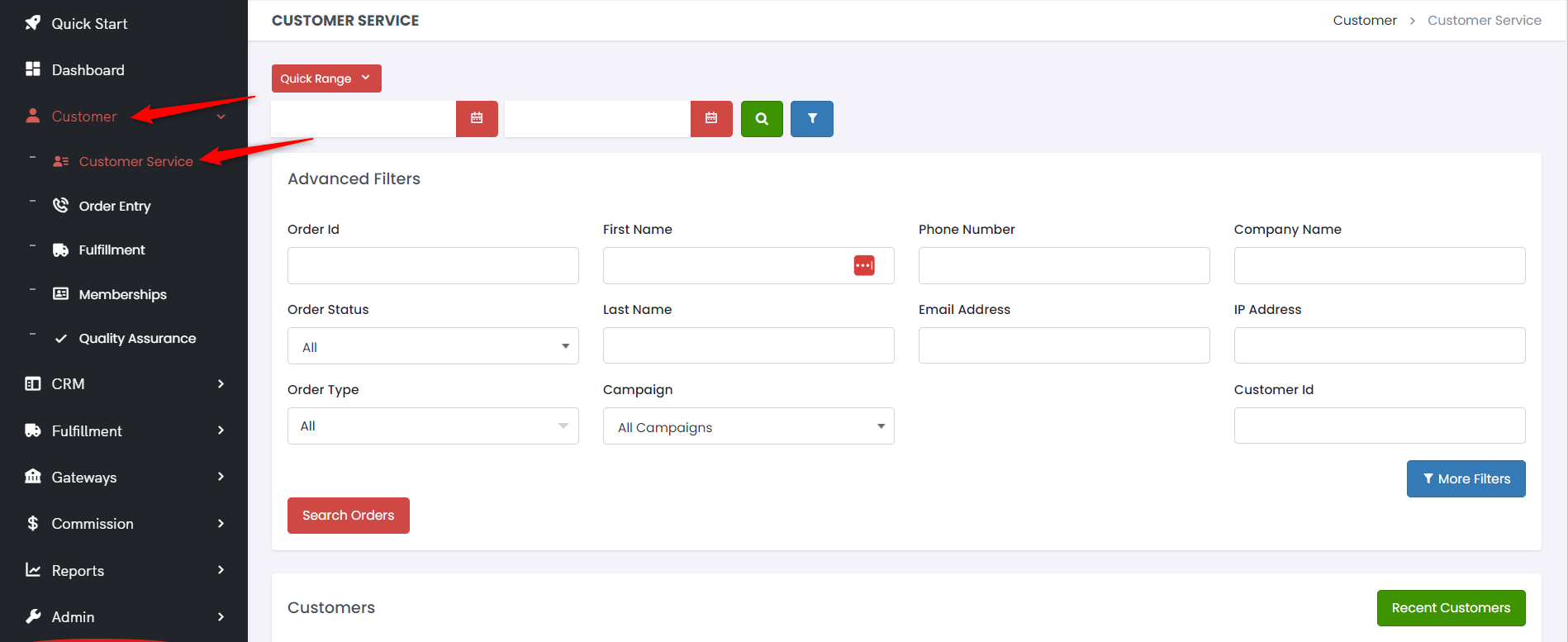
Locating a customer record is easy using the CRM's Customer Search Page. First, click on the Customer tab on the left of your screen, then Customer Service.
This will load the Customer Search Page. Using the fields at the top of the screen you can search for customers using a number of different fields including: name, order id, order status, email address, phone number among other option when clicking Additional Filters. Just enter the search terms in the text fields and click Search Orders to view the results of your search.
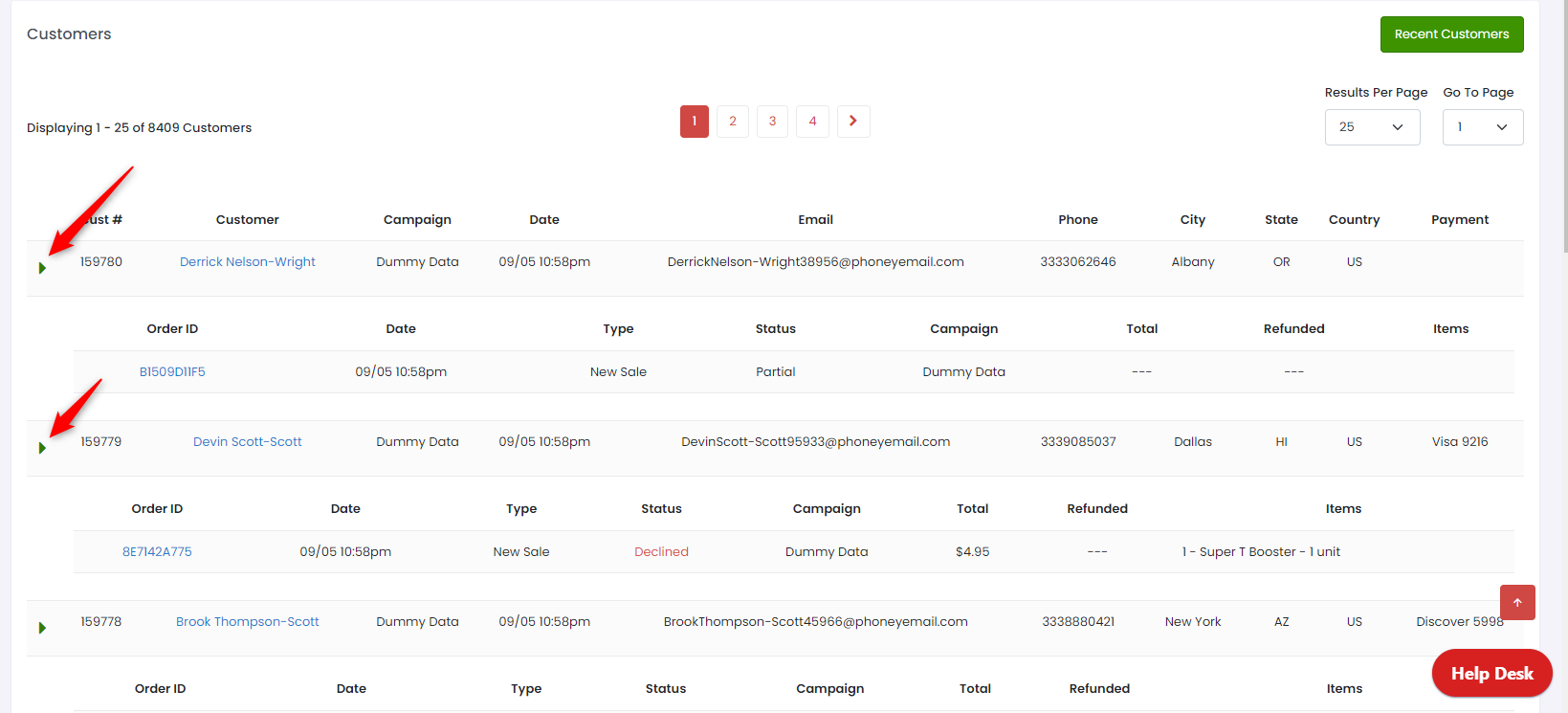
The results area of this screen lists out all the customers who were found in your search. You can click on the blue customer name to go directly to the customer record, and you can also expand that customer to view all the orders that customer has placed. In the expanded view, you can click on the blue order number to go directly to that customer's order record.
You can expand each customer to view more details.