> For the complete documentation index, see [llms.txt](https://help.konnektive.com/llms.txt). Markdown versions of documentation pages are available by appending `.md` to page URLs; this page is available as [Markdown](https://help.konnektive.com/konnektive-crm/gateway-setup/gateways/givepayments.md).
# GivePayments
{% hint style="info" %}
GivePayments requires that IP Address and User Agent are passed from the checkout page. This can be done on Import Click, Import Lead, or [Import Order API](https://apidocs.checkoutchamp.com/#275a54c6-b4b0-414c-819b-7387e9a81f58).
This note can be ignored if using Order Entry. The required values are passed automatically.
{% endhint %}
**STEP 1**
Go to Gateways > Gateway Integrations. Select GivePayments. Press the **+Activate** button.
**STEP 2**
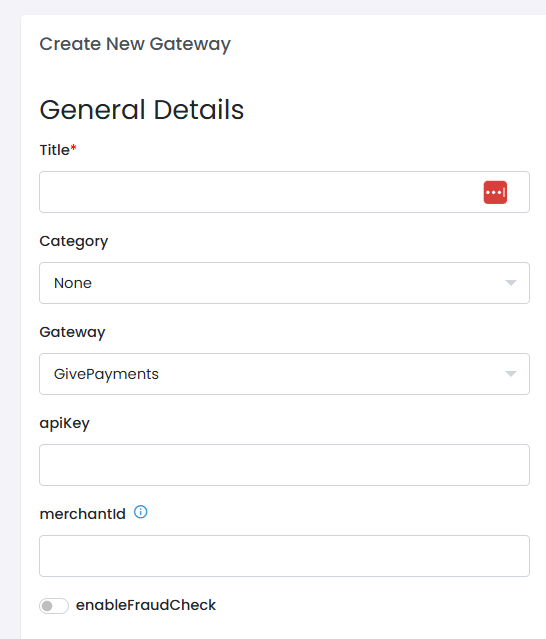
Obtain **apiKey** from GivePayments and enter it here.
Enter **merchantId** only if your GivePayments account is a provider account. Check with GivePayments if there is any confusion.
Choose to **enableFraudCheck**. This performs a fraud check at GivePayments before processing the transaction.
Enter **Title** and **Descriptor**
Enter other information as needed
Press the **Create Gateway** button