> For the complete documentation index, see [llms.txt](https://help.konnektive.com/llms.txt). Markdown versions of documentation pages are available by appending `.md` to page URLs; this page is available as [Markdown](https://help.konnektive.com/konnektive-crm/gateway-setup/gateways/quantum.md).
# Quantum
**STEP 1**
Go to **Merchants** → **Gateway Integrations** and activate the Quantum tile with the “**+ Activate**” button
**STEP 2**
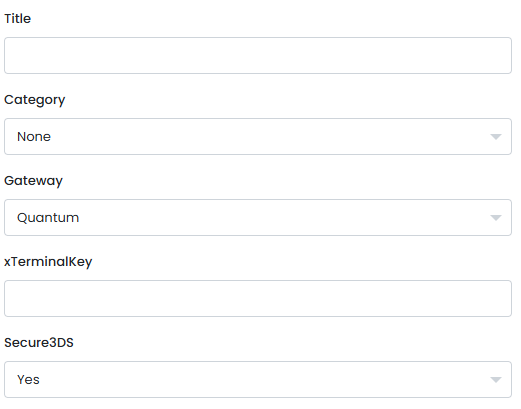
Enter the **xTerminalKey (API Key)** from your Quantum account. Press the green “Create Gateway” button to create your Quantum gateway.