> For the complete documentation index, see [llms.txt](https://help.konnektive.com/llms.txt). Markdown versions of documentation pages are available by appending `.md` to page URLs; this page is available as [Markdown](https://help.konnektive.com/konnektive-crm/customer-service/quality-assurance.md).
# Quality Assurance
The quality assurance tab is used to locate orders that were sent to QA and need to be approved or denied.\
\
There are 8 ways orders can be sent to QA:
1. QA rate set on campaign
2. Orders flagged by Fraud Service plugins
3. By placing the order on the Order Entry page and selecting ‘External Payment’ rather than entering the customers credit card or ACH info
4. By using the ‘PREPAID’ paySource on Import Order API
5. If the Authorization of an Auth Void Trial is successful, but then the smaller cycle 1 shipping fee declines
6. Orders did not pass address validation from [Smarty ](https://help.checkoutchamp.com/crm/plugins/data-sources/smarty)(Response Code: N)
7. If the order was placed using GooglePay, but one of the upsells did not pass the GooglePay Token
8. Order has no IP Address value and 'Send to QA' option is selected in account-wide Fraud Protection settings (usually this is the result of an [import](https://apidocs.konnektive.com/#05f9224f-913c-4129-95c7-ed078a87e6f0) that came in without an ipAddress value).
***
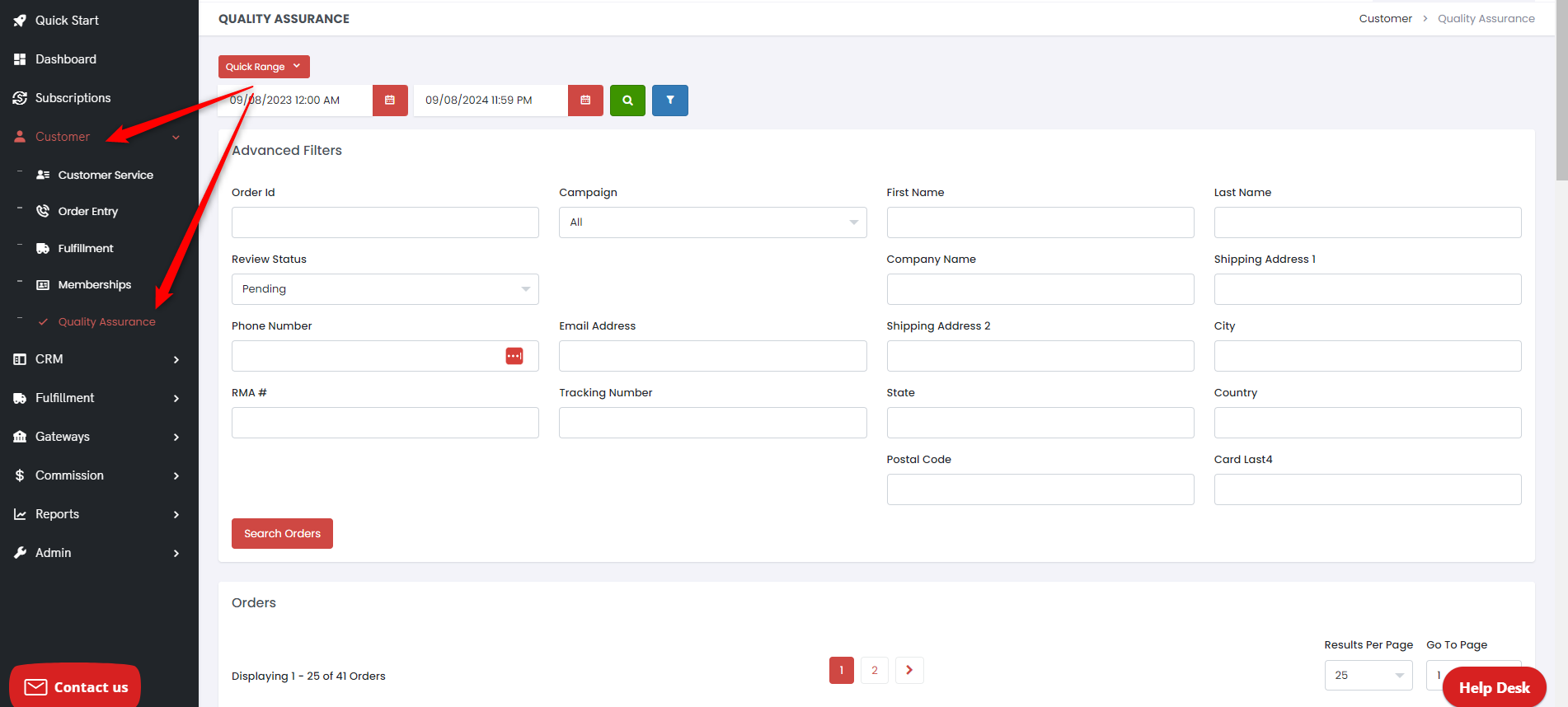
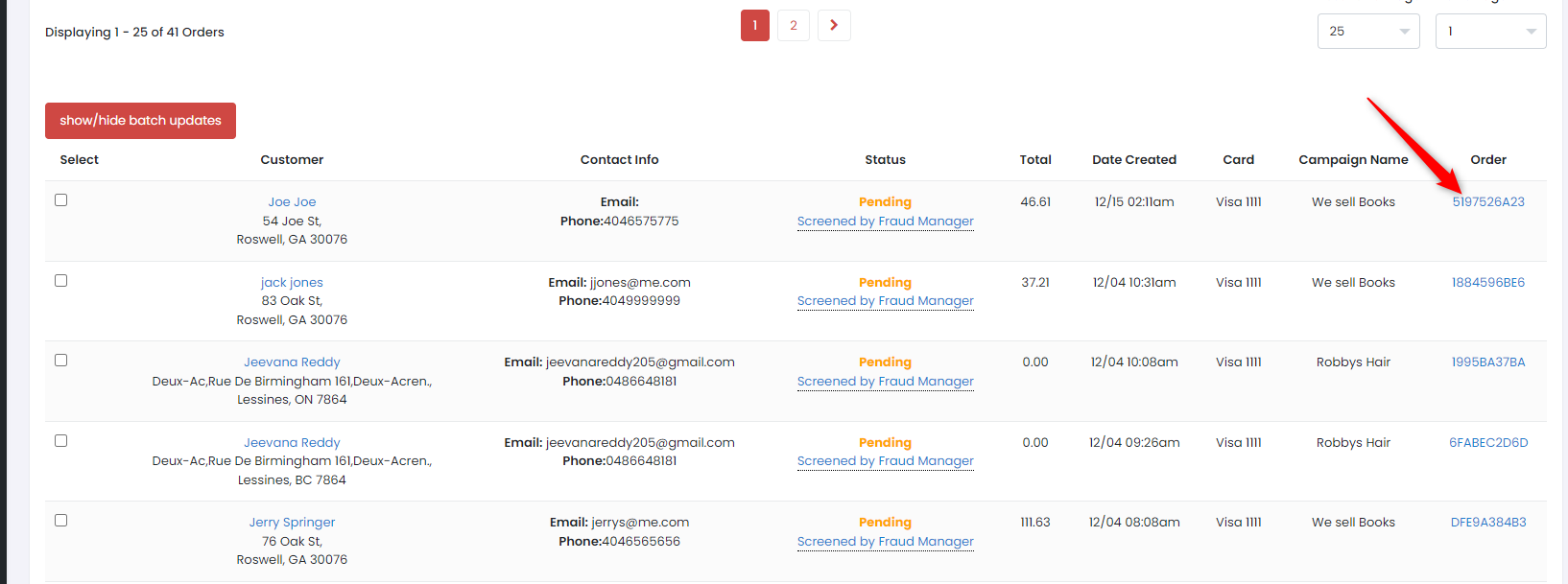
To approve or deny orders in QA Pending status, navigate to Customer → Quality Assurance and use the filters to pull those orders.
After clicking the orderId on the right side of the table, you will be presented with this screen to either approve or deny.
***
If you are constantly running orders with ‘External Payment’ (Order Entry) or with ‘Prepaid’ as the paySource on Import Order, you can optionally choose to Skip QA for these orders.